
One Speak button
Paste the passage, pick a voice and a speed, then press Speak. That is the only primary control. Try a sample and Upload .txt sit beside the box as smaller actions.
On this device · No upload · No account
Paste English text, press Speak, and hear it in this browser. The voice stays on your device, and you can download WAV or MP3.
Text to speech
English voices run in this browser. Paste text, press Speak, then play or download WAV or MP3. The text is not uploaded.
Pick a voice, then press Play. The sample is already on this page, so you can hear it while the voice model is still loading. A lower grade sounds rougher.
0 / 2500
Processing…
0%
0:00 / 0:00
Features
Paste the passage, pick a voice and a speed, then press Speak. That is the only primary control. Try a sample and Upload .txt sit beside the box as smaller actions.
All twenty-eight English voices in this Kokoro build are on the card. Heart is A, Bella is A-, and Nicole is B- for US female speech. Emma is B- for UK female speech. Fenrir, Michael, and Puck are the strongest US male voices, all C+. The menu shows the published grade. Grades D and F are included and sound rougher. Press Play beside the menu to hear a short sample. That sample is already on this page.
Slower is 0.85, Normal is 1, and Faster is 1.15. A higher number is faster, which is the opposite of some old duration sliders. The whole passage uses the speed you picked. There is no per-word rate.
When the passage is done, it plays in this tab and the time on the player moves. Download WAV and Download MP3 appear then. WAV is 24 kHz, 16-bit, mono. MP3 is the same audio at 128 kbps. Download AAC appears when this browser can encode it. There is no second file for each sentence and no caption file.
What it is
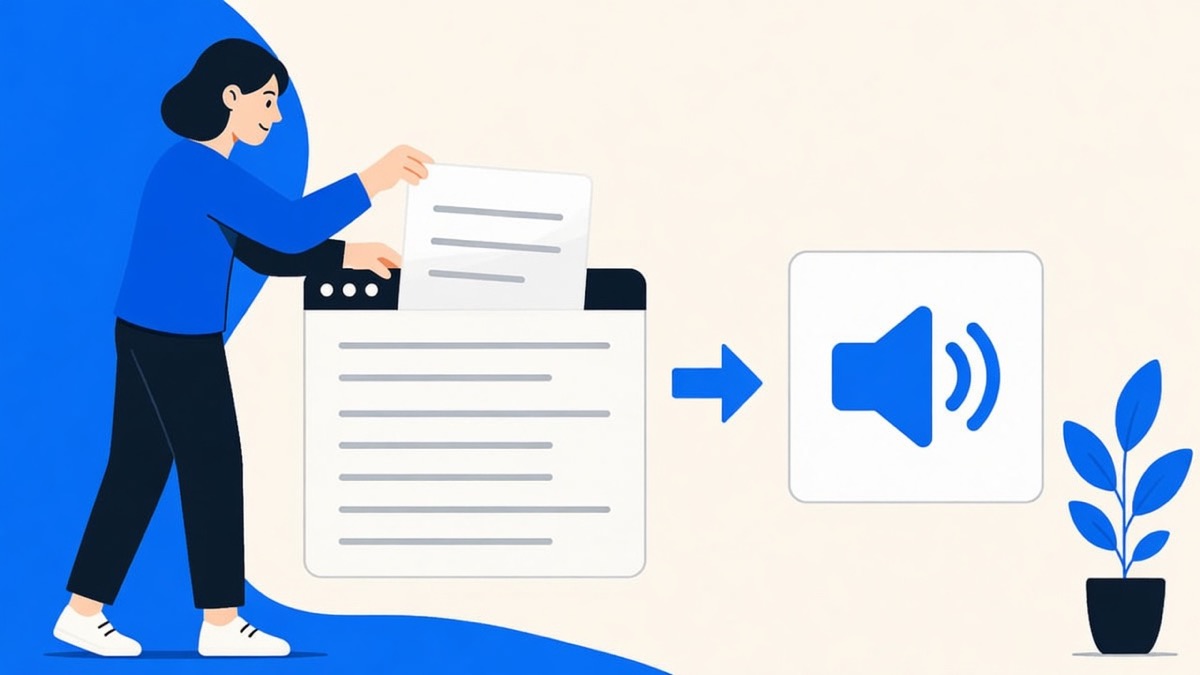
Text to speech turns written words into a spoken audio file. On this site the engine is Kokoro-82M, an 82 million parameter neural voice that runs inside the browser tab. You paste English, pick one of twenty-eight English voices, set a speed, and press Speak. When the passage is done, the tab plays it and offers WAV or MP3 of the whole passage.
Opening the page loads about 326 MB on a computer with a graphics chip, or about 92 MB on a phone and on a computer without that chip, and caches it. The phone download starts in the background. There is no size prompt. Later visits in the same browser skip that load. The passage cap is 2,500 characters. WAV is 24 kHz, 16-bit, mono. MP3 is 128 kbps from the same audio. AAC appears when this browser can encode it. It does not read a PDF, a Word file, or a web address, and it does not clone a voice. English only: Heart and Bella are the clearest US female voices on Kokoro's published list. A non-English passage is spoken with English sounds, so it will not sound like that language.
How to use
Step 1
Type, paste, or upload a .txt file. The counter under the box stops at 2,500 characters. A longer file keeps the first 2,500 and tells you the rest was cut.
Step 2
Opening the page starts loading the voice model and shows Processing until that finishes. A computer with a graphics chip loads about 326 MB. A phone loads about 92 MB in the background, and the page does not ask you to confirm it. A computer without that chip loads about 92 MB too. Later visits in the same browser reuse that cache. Heart is selected until you change the voice.
Step 3
Sentences start playing as they finish. When the passage is ready, the player, Download WAV, and Download MP3 appear. AAC is there when this browser can encode it. One passage becomes one audio file.
Why use it
A hosted converter receives the words. This card keeps them in the tab and only downloads the voice model. There is no account that could store the passage after you leave.
Some free converters still speak with Festival and Flite voices such as slt, rms, and kal. Those stitch old recorded fragments. Kokoro-82M is a neural model. A computer graphics chip uses the full-precision weights. A phone uses the smaller build in the background, even when the phone browser has a graphics chip.
You do not sign up, install an extension, or wait for a credit refill. The limit you can see is the 2,500 character counter, not a hidden daily quota.
English only, one passage, no voice cloning, and no claim that Heart matches a studio narrator. The downloads are WAV, MP3, and AAC when this browser can encode it. If the job needs a PDF, a video export, or a cloned voice, this card will not pretend to do it.
Tips
Who uses this
Read the paragraph out loud before you send it, and catch a clumsy sentence by ear.
Input: One English paragraph already on the clipboard, inside 2,500 characters.
Setting: Heart or Emma, Normal speed.
Output: Playback in the tab, plus a WAV or MP3 if you want to keep the read-through.
Caveat: This is a read-through, not a produced podcast, and there is no background music.
Speak a definition or a short slide script so a listener can hear it without you recording.
Input: A short English script, typed or from a .txt file.
Setting: Michael or George for a male voice. Slower (0.85) if the words are new.
Output: A WAV or MP3 named for the voice. WAV is 24 kHz mono.
Caveat: There is no caption file, no second speaker in the same file, and no music bed.
Hear how a plain English sentence lands before you record it yourself.
Input: The sentence you plan to say, in English.
Setting: Bella or Fenrir, Normal.
Output: Immediate playback, then WAV or MP3 when the sentence finishes.
Caveat: Unusual names and jargon can still be misread. Listen before you rely on it.
Turn a checklist into a file you can drop next to the notes.
Input: A checklist in English, under the character cap.
Setting: Heart, Normal, then Download WAV or Download MP3.
Output: One file for the whole checklist: WAV at 16-bit 24 kHz mono, or MP3 at 128 kbps.
Caveat: There is no background music and no caption file.
Privacy
The words you paste stay in this browser tab. Speak does not post the script to a speech server, and there is no account to attach it to. Opening the page loads the Kokoro voice model in the background, about 326 MB on a computer with a graphics chip, or about 92 MB on a phone and on a computer without that chip, plus a small voice file the first time you pick a voice. Those files are the model, not your text. After the cache is stored, another passage can be spoken without sending the script anywhere. Clearing site data removes the cache, so the next visit loads the model again.
Formats
The input is plain text. Type it, paste it, or upload a .txt file. The card keeps 2,500 characters. It does not open a PDF, a Word document, a web page, or a spreadsheet. The output is one take at 24 kHz mono. Download WAV is 16-bit. Download MP3 is 128 kbps. Download AAC appears when this browser can encode it. There is no caption file. Playback starts in the tab while later sentences are still being spoken, and the download buttons appear when the whole file is ready. If you already have a recording, the audio to text tool on the homepage turns that file into text instead.
Legal
The voice model on this card is Kokoro-82M. The weights and the kokoro-js code are published under the Apache-2.0 license. That is a software license, not a review of your script, and it is not a license this site grants you on top. This note is not legal advice. If the words belong to someone else, ask before you publish the audio. The audio downloads to your machine. This site does not keep a copy of it.
FAQ
Short answers cover price, privacy, the audio file, and phones.
Speak is free, and it is not unlimited. Each passage stops at 2,500 characters. There is no account, no trial clock, and no payment. Split a longer script into parts and press Speak again.
No. The text stays in this browser tab. Opening the page loads the voice model in the background: about 326 MB on a computer with a graphics chip, or about 92 MB on a phone and on a computer without that chip, plus a small voice file for the voice you pick. Those files are the model, not your script. The page does not ask you to approve the download.
Yes. When the passage finishes, press Download MP3. That file is 128 kbps mono, made in this browser from the same 24 kHz audio. Download WAV is the uncompressed 16-bit file. Download AAC appears when this browser can encode AAC. One passage makes one audio file.
Yes, if you paste the English text yourself. It does not fetch an article URL or open a notes app. Keep the paste inside 2,500 characters, pick a voice, and press Speak.
Not on the first visit. Opening the page loads the voice model in the background: about 326 MB on a computer with a graphics chip, or about 92 MB on a phone and on a computer without that chip, plus a small file for the voice you choose. After that cache is stored, the same browser can speak again without a network. Clearing site data means the next visit loads the model again.
It is a website, not an App Store app, a Play Store app, or the iPhone Speak Screen setting. A phone browser can open the card. The phone loads the smaller model, about 92 MB, in the background. There is no size prompt. A computer with a graphics chip loads about 326 MB the same way, behind the Processing line.
No. Open the card in the browser, paste text, and press Speak. Nothing to install. The browser does need to be current enough to run WebAssembly, which current Chrome, Edge, Firefox, and Safari are.
No. There is no sign-in. The text is not attached to an account, because there is no account. You can close the tab and the script is gone with it.
No. You paste the exact words you want spoken. This does not rewrite a prompt, and it is not a chat model. If the sentence is clumsy, edit it in the box and press Speak again.
Paste English into the text box, leave the voice on Heart or pick another one, leave speed on Normal, and press Speak. If the card still says Processing, wait for that line to go away. The passage plays in the tab, then download WAV or MP3 if you want the file.
This card cannot open a PDF. Copy the English text out of the PDF, paste up to 2,500 characters, and press Speak. A scanned page with no selectable text still has nothing to paste.
There is no Word add-in here. Copy the paragraph from Word, paste it into the box, and press Speak. The audio downloads in the browser, not back into the document.
This card loads Kokoro-82M, an 82 million parameter voice model, and turns the text into phonemes in the browser. It then writes 24 kHz audio. Speed 1 is normal, 0.85 is slower, and 1.15 is faster. When the passage is done, the tab plays it, and you can save that take as WAV or MP3.
Older free sites still use diphone voices from Festival and Flite, such as slt, rms, and kal. Those stitch short recorded fragments. This card does not use them. It uses Kokoro-82M, a neural model with 82 million parameters.
The model here is Kokoro-82M. A computer with a graphics chip loads the full-precision weights, about 326 MB. A phone, and a computer without that chip, loads about 92 MB in the background. All twenty-eight English voices in this build are in the voice menu, with the published grade next to each name. Heart is A, Bella is A-, Nicole is B-, and Emma is B-. Grades D and F are listed too, and they sound rougher. Press Play beside the menu to hear a short sample. That sample is already on this page. Voices for other languages are not in this browser build.
Press Speak only after the box has English in it, and wait until Processing finishes. If the model is already cached, pick Heart and a short sentence to see whether the voice itself fails. A PDF sitting on the computer is not an input until you paste the words. On a phone, the usual failure is the smaller model still running out of memory.
Paste English text in the box above and press Speak.
Open text to speechYour feedback helps us make AudioToText.im better.

Thank you for your feedback